
Sample Page

How to Replace Sky in Lightroom for Real Estate Photography

In real estate photography, exterior images play a crucial role in attracting potential buyers. However, a dull or overcast sky can dramatically reduce the visual appeal of even the most attractive property. The good news is that you can now make skies pop – without needing to use Photoshop. This guide will show you how to replace sky in Lightroom using its latest AI-based features, making your editing workflow faster and more effective.

Whether you’re a real estate photographer, a photo editor, or a property agent managing images for listings, mastering this technique can significantly boost the quality and performance of your visuals.

Why Replace Sky in Real Estate Photography?

A vibrant, well-balanced sky can enhance the entire mood of a photo. Especially in real estate, visuals are not just decorative, but they sell.

By replacing or enhancing the sky in Lightroom, you can:

  • Make properties appear more welcoming and appealing
  • Add contrast between the building and the background
  • Increase perceived property value
  • Improve user engagement and click-through rates on listing websites

Additionally, replacing the sky in Lightroom allows editors and agencies to save time compared to exporting images to Photoshop.

Can You Really Replace Sky in Lightroom?

Yes, Lightroom Classic now offers an AI-powered “Select Sky” tool, which makes it possible to simulate a sky replacement directly inside the app.

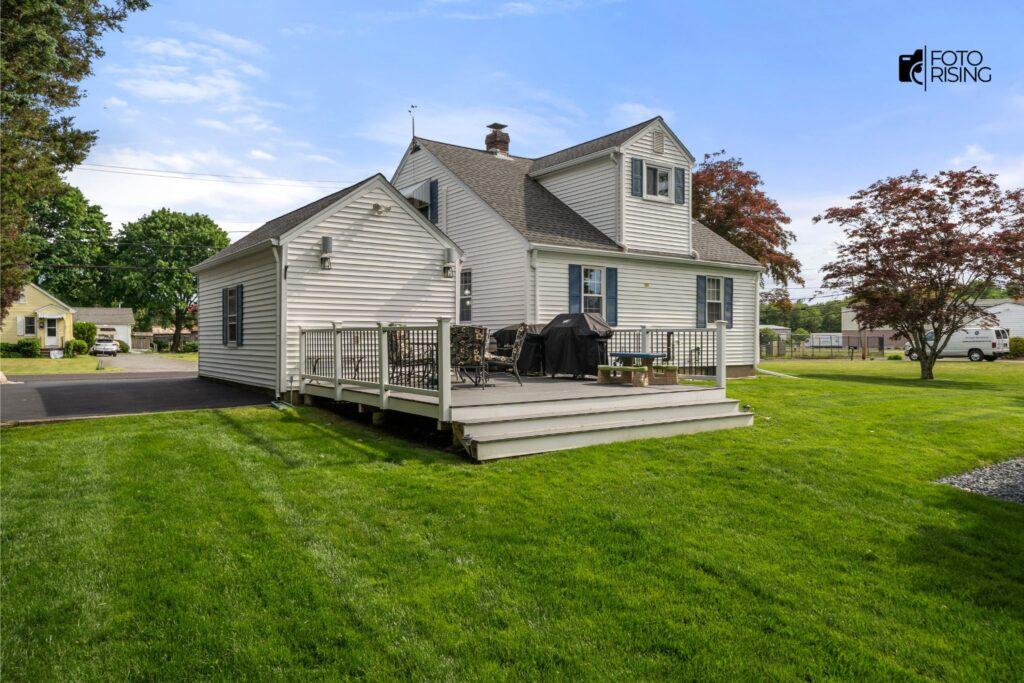
replace sky in Lightroom

While Lightroom doesn’t allow you to insert a brand-new sky image like Photoshop does, it provides everything you need to:

  • Select and isolate the sky automatically
  • Apply adjustments that mimic a new sky
  • Keep the editing workflow simple, non-destructive, and fast

For many real estate photo editors, this is more than enough.

Step-by-Step: How to Replace Sky in Lightroom

Here’s how you can replace or enhance the sky in Lightroom without switching to other software:

Step 1: Open Your Photo in Lightroom Classic

Start by importing your real estate image into Lightroom. Ideally, use a RAW file, as it retains more data in the highlights and shadows—especially useful when editing skies.

Step 2: Use the “Select Sky” Mask

In the Develop module, click on the Masking icon, then choose “Select Sky.”

Lightroom will automatically detect and select the sky portion of your image using AI. This selection is accurate in most cases, even around trees and buildings.

This is the first and most important step in learning how to replace sky in Lightroom efficiently.

Step 3: Apply Adjustments to Simulate a Sky Replacement

Now that the sky is selected, apply the following adjustments:

  • Exposure: Increase to brighten a dull sky
  • Contrast: Add depth and separation from the foreground
  • Dehaze: Remove atmospheric haze and boost clarity
  • Temperature: Make the sky warmer for sunset tones or cooler for a blue-sky effect
  • Saturation: Enhance the color vibrancy subtly

Although Lightroom doesn’t allow actual sky swapping, these tools let you simulate dramatic changes without compromising realism.

Step 4: Optional – Export to Photoshop for Full Sky Swap

If your client requests a specific sky (such as a sunset, dramatic clouds, or twilight scene), you can export the photo to Photoshop:

  • Right-click > Edit in Photoshop
  • Use the Sky Replacement feature
  • Save and return to Lightroom for further adjustments
replace sky in Lightroom

However, for the majority of real estate photo edits, full sky replacement isn’t necessary. Most properties benefit from subtle, believable enhancements using only Lightroom.

Best Practices for Sky Replacement in Real Estate Photography

Although enhancing the sky can improve an image, overdoing it may make the photo look unrealistic or even misleading. Therefore, here are some best practices to follow:

  • Match the lighting and shadow direction of the sky with the rest of the photo
  • Avoid overly saturated or dramatic skies that draw attention away from the property
  • Maintain a consistent look across a full gallery or listing
  • Use sky adjustments that suit the time of day and weather conditions naturally

These practices help maintain professionalism and trust, especially important in the real estate industry.

Lightroom vs. Photoshop: Which Should You Use?

Both Lightroom and Photoshop are excellent tools, but they serve different purposes in the context of sky replacement.

FeatureLightroomPhotoshop
AI Sky DetectionYesYes
Ability to Add New SkyNoYes
Workflow SpeedFastSlower
Best for Real Estate TeamsYesOnly when necessary

For quick edits and batch workflows, Lightroom is the more efficient option. Photoshop is better suited for specific client requests or marketing materials that require more creative control.

Conclusion

Learning how to replace sky in Lightroom can significantly improve your real estate photography workflow. With powerful AI tools and smart adjustment features, Lightroom offers a fast, efficient, and professional way to enhance dull skies – without relying on complex software.

More importantly, this technique helps create visually consistent, high-quality images that support your property marketing goals.

If you’re a real estate photographer or agency looking to save time and improve results, sky editing in Lightroom is a skill worth mastering

Read More

10 Best Photo Editing Programs for Real Estate in 2024
How Long Does It Take to Be a Professional Photography Editor?
AI Tools for Real Estate Photo Editing: Reinventing Property Marketing

The Role of a Real Estate Photo Editing Company in 2025

In today’s property market, photos matter more than words. Buyers form opinions in seconds. A real estate photo editing company helps realtors gain this advantage. Clean, edited photos lead to faster decisions and stronger interest.

Why Real Estate Images Need Editing

First impressions count. More than 95% of homebuyers start their search online. According to the National Association of Realtors (2024 report), listings with high-quality photos get 118% more views. Without editing, property images can look dull, dark, or cluttered. A professional real estate photo editing company ensures images are bright, balanced, and appealing.

Services Offered by Editing Companies

A real estate photo editing company provides more than simple touch-ups. Services usually include color correction, brightness adjustment, and clutter removal. Some also offer virtual staging, sky replacement, and twilight conversion. These advanced edits help properties stand out in crowded listings. Transitioning from plain photos to polished visuals boosts buyer interest dramatically.

1. Color Correction and Exposure

Colors influence emotions. A well-lit and corrected image conveys warmth and comfort. Poorly balanced photos can discourage buyers immediately.

Color Correction
Before
Color Correction
After

2. Object Removal

Unwanted objects like trash bins or wires distract viewers. Editors carefully remove these elements without harming photo quality.

Before
After

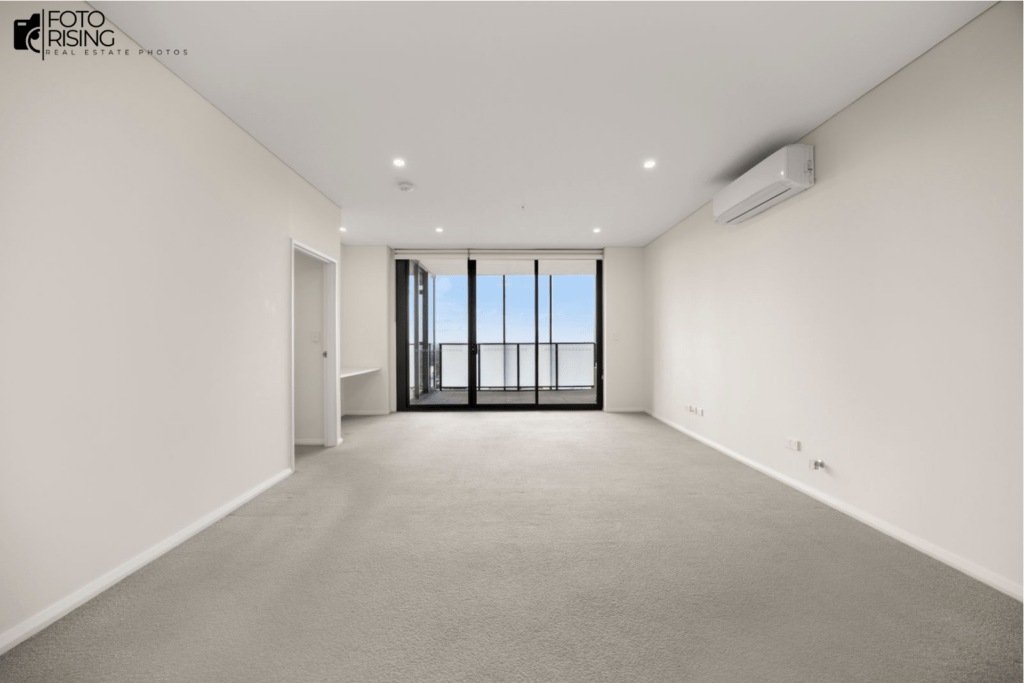
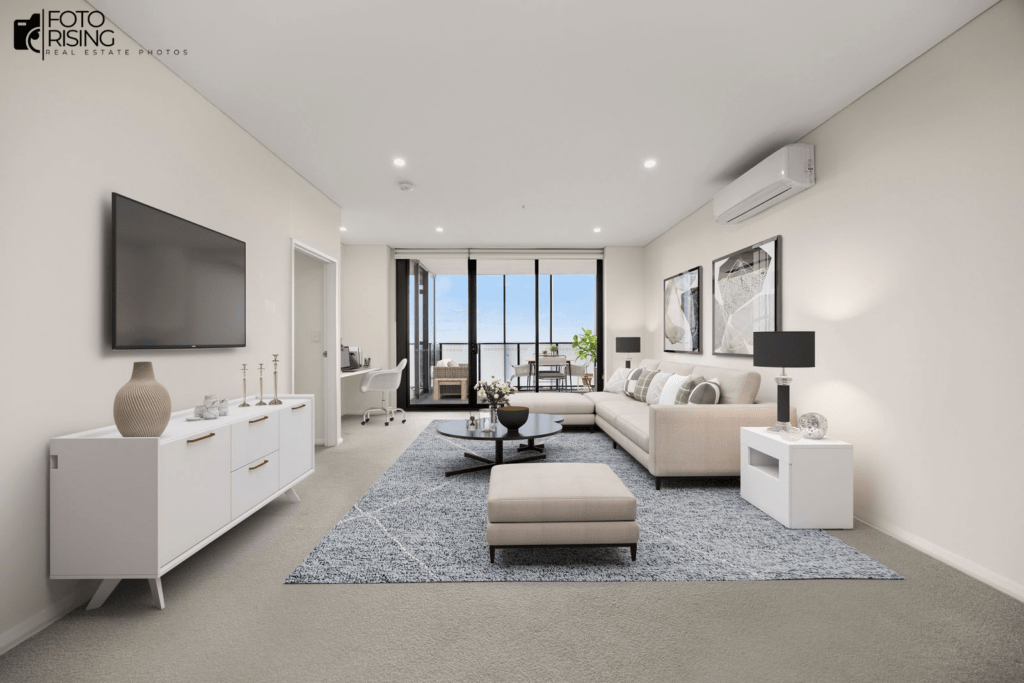
3. Virtual Staging

Empty rooms look cold. Virtual staging fills them with digital furniture, making spaces inviting. A 2024 RESA survey showed staged listings sold 73% faster.

Before
After

4. Sky Replacement

Weather conditions are unpredictable. A gray sky can harm property appeal. Replacing it with a clear blue sky makes the home look welcoming.

Before
After

5. Floor Plan Redraws

Many editing firms also redraw floor plans digitally. These layouts help buyers visualize the property’s structure clearly.

The Growing Market for Photo Editing

The real estate photo editing industry has grown rapidly. Market Research Future predicted the global photo editing market will reach $1.5 billion by 2028. Demand comes from agents, developers, and online rental platforms. With competition rising, realtors rely on editing companies to maintain an edge.

Why Realtors Choose Specialized Companies

Many agents ask: why not edit photos themselves? The answer is time and expertise. Professional companies use advanced software like Photoshop, Lightroom, and AI-powered tools. Their teams work quickly, often delivering edited photos within 12–24 hours. Agents save time while ensuring high-quality results.

Technology in Modern Editing

Technology has transformed real estate photo editing. Artificial intelligence now automates repetitive tasks. AI can enhance lighting, remove objects, or even suggest staging styles. However, human expertise remains vital. A skilled editor understands local markets, design preferences, and buyer psychology. The blend of AI speed and human creativity sets professional editing apart.

Impact on Sales Performance

Better visuals lead to better sales. Redfin’s 2024 data showed homes with professional photos sold for 47% higher per square foot. Buyers are more likely to visit a property if the listing images look polished. Thus, partnering with a photo editing company is not just aesthetic—it is a sales strategy.

Choosing the Right Editing Partner

Selecting the right real estate photo editing company requires careful thought. Realtors should check turnaround time, pricing, portfolio quality, and customer support. Companies offering flexible packages are more attractive to agents handling different property types. Reviews and testimonials also reveal reliability.

Cost and ROI Considerations

Prices vary depending on complexity. Basic edits cost as little as $1 per image. Virtual staging can range from $25 to $60 per photo. While costs may seem high, the return is significant. Faster sales, higher prices, and improved engagement make photo editing a cost-effective investment.

Future Trends in Photo Editing

Looking ahead, real estate photo editing will continue evolving. Experts predict 3D rendering and immersive tours will grow in demand. Editing companies are also focusing on sustainability—reducing the need for physical staging lowers material waste. Cloud-based platforms allow faster collaboration between realtors and editors. This trend will shape the industry in 2025 and beyond.

Final Thoughts

The real estate market moves quickly. Listings need to attract buyers instantly. A real estate photo editing company ensures every image works hard for agents. With advanced tools, skilled editors, and evolving trends, these services are no longer optional—they are essential. Realtors who invest in professional editing gain more views, more leads, and more sales.

Read more: 

How Long Does It Take to Be a Professional Photography Editor?

Mastering Motion: Gimbal Technology for Modern Filmmakers

HDR Real Estate Photo Editing: What It Is and Why It Matters

How Long Does It Take to Be a Professional Photography Editor?

Becoming a professional photography editor is an exciting career path for anyone who loves both creativity and technology. However, one of the most common questions beginners ask is: “How long does it take to be a professional photography editor?” The answer depends on many factors, including your starting skill level, the time you dedicate to practice, and the type of editing you want to specialize in.

In this article, we’ll break down the timeline, key skills required, and practical steps to become a successful editor.

Understanding the Role of a Photography Editor

Before exploring the timeline, it’s important to understand what a photography editor does. A professional editor is not only responsible for basic adjustments such as cropping or color correction, but also for:

  • Retouching skin and portraits.
  • Enhancing real estate images by replacing skies or removing unwanted objects.
  • Correcting lighting and shadows to make photos more appealing.
  • Preparing images for magazines, online stores, or advertising campaigns.

Since editing involves both technical skills and artistic judgment, the learning journey takes time.

3 Periods to a Professional Photography Editor

3 Periods to a Professional Photography Editor
3 Important Steps to Become a Professional Editor

1. Learning the Basics: 1 to 3 Months

For complete beginners, the first stage usually takes 1 to 3 months. During this period, you should pay concentrated attention to: 

  • Understanding editing softwares like Adobe Photoshop or Lightroom.
  • Learning basic tools: crop, exposure, white balance, saturation, and sharpening.
  • Practicing on personal photos to build confidence.

However, at this stage, you can’t be a professional yet. Your foundation was laid strongly. And, consistency is a key; even just 30 minutes of practice daily can speed up your progress. 

2. Intermediate Skills: 6 Months to 1 Year

After mastering the basics, you’ll move to more complex skills. This stage may take 6 months to 1 year, depending on how much time you dedicate. The focus here includes:

  • Advanced retouching (skin, hair, and clothing).
  • Using masks, layers, and blending modes.
  • Learning HDR editing and panorama stitching.
  • Practicing batch editing for efficiency.

Of course, at the end of this page, you can start touching some client-ready photos. Even some beginners even find freelance work, though the speed and consistency may still be challenging. 

3. Becoming Professional: 1 to 3 Years

To truly call yourself a professional photography editor, you need more than just technical skills. Building a career usually takes 1 to 3 years of steady practice and project experience. During this time, you should:

  • Develop a personal editing style that clients recognize.
  • Build a strong portfolio that showcases diverse skills (portraits, real estate, e-commerce, weddings).
  • Learn to meet deadlines and manage client feedback.
  • Stay updated with industry trends, such as AI editing tools and color grading techniques.

The professional stage is not about how many tools you know, but about how well you can deliver consistent, high-quality work that satisfies clients.

A Professional Photo Editor with Different Factors

How long it takes depends on a few key factors:

  1. Background knowledge:  If you already have design or photography skills, your learning curve will be shorter.
  2. Practice hours: The more you practice, the faster you progress. Daily editing beats occasional weekend practice.
  3. Training resources: Structured online courses or mentorship programs can cut months off your journey.
  4. Specialization:  Retouching for fashion requires different techniques compared to editing real estate or e-commerce photos.

real estate photo editing services
Kinds of real estate photo editing services

Tips to Speed Up the Process

If you want to become professional faster, here are practical tips:

  • Invest in quality training: Courses or tutorials save time compared to trial and error.
  • Practice with real projects: Offer free or discounted services to friends, photographers, or small businesses.
  • Learn shortcuts and workflows: Efficient editing is as valuable as creative editing.
  • Join editing communities: Sharing your work and receiving feedback accelerates growth.

Conclusion

So, how long does it take to be a professional photography editor? On average:

  • Basics: 1–3 months.
  • Intermediate skills: 6–12 months.
  • Professional level: 1–3 years.

In total, expect around 1 to 3 years to become confident enough to work as a professional. However, the journey is not fixed. With passion, consistent practice, and the right resources, some editors become client-ready in under a year.

What truly matters is not just the time spent learning, but the quality of practice and the creativity you bring to each project. With dedication, you’ll not only master the technical skills but also build a rewarding career as a professional photography editor.

Read more:
Mastering Motion: Gimbal Technology for Modern Filmmakers
10 Best Photo Editing Programs for Real Estate in 2024
3 Biggest Mistakes in Flambient Real Estate Photography – How to Master?

Mastering Motion: Gimbal Technology for Modern Filmmakers

There’s an art to capturing smooth video. No matter how steady your hands, natural shake will show. That’s where gimbals change the game. They bring mechanical precision and digital intelligence together for fluid, professional shots.

The Core of Gimbal Technology

A gimbal is more than a mount. It uses motors and sensors to keep your camera level. This stability works across three axes: pitch, yaw, and roll. The result? Footage that feels weightless, even during complex movements.

Unlike tripods, gimbals move with you. They handle bumps, tilts, and steps without letting them ruin your scene. This is why both vloggers and film crews rely on them daily.

Gimbal

Why Gimbals Are Becoming Essential

Video content consumption keeps rising. Platforms like TikTok, YouTube, and Instagram demand quality visuals. Shaky video feels amateur, while smooth video holds viewers longer.

Creators aren’t just hobbyists anymore. Many now operate as personal brands. This makes gear like gimbals a strategic investment, not just a creative tool.

A Market in Motion

The global gimbal market is on an upward curve. In 2024, it reached around USD 0.72 billion. Projections suggest growth at roughly 6% CAGR through 2035.

Smartphone gimbals are growing even faster. Estimates show a USD 1.5 billion market size by 2025 with a 15% CAGR through 2033. These numbers tell a clear story: stabilization is no longer a niche accessory—it’s part of mainstream content creation.

The Latest Breakthroughs in Gimbal Design

Innovation in this space is accelerating. At CES 2025, the Hohem iSteady V3 stood out with AI tracking and app-wide compatibility. Its detachable remote made it flexible for solo shooters.

Gimbal

DJI’s RS 4 Mini introduced gesture control and rapid vertical switching—ideal for social media formats. The FeiyuTech SCORP Mini 3 Pro added a cooling fan for heavy camera use and extended battery life up to 14 hours.

Gimbal

Insta360’s Flow 2 Pro went further with Deep Track 4.0, following multiple subjects smoothly. A built-in selfie mirror even helps solo creators frame shots without guesswork.

Gimbal

These are not just upgrades—they’re redefining how gimbals integrate into everyday shooting.

Choosing the Right Gimbal for Your Work

First, consider your camera type. Small, lightweight gimbals suit smartphones or compact cameras. Larger mirrorless or cinema cameras need more robust builds.

Next, check for smart features. AI tracking, remote control, and quick-release mounts save time and energy during shoots.

Battery life matters too. Many newer models offer 12–14 hours, which covers full-day projects without mid-shoot charging.

Finally, assess portability. If you travel often, folding or ultra-light gimbals will keep your load manageable.

Trends Shaping the Gimbal Industry

AI integration will continue leading innovation. Features like automatic subject recognition and gesture commands are becoming standard.

Mobile-first design is another priority. Vertical shooting support and app-level controls reflect social media’s dominance in video consumption.

Even in industrial and defense applications, gimbals are advancing. The EO/IR segment, used in surveillance and drones, is set to grow from USD 884 million in 2024 to USD 1.88 billion by 2033.

Why Your Next Project Might Need a Gimbal

Whether filming real estate tours, short films, travel vlogs, or commercials, a gimbal ensures your visual storytelling feels intentional. Viewers notice the difference, even if they can’t name the tool behind it.

Smooth motion is more than technical polish—it’s a storytelling device. It helps your audience focus on emotion, detail, and narrative rather than camera distractions.

Gimbal

Final Thoughts

As gimbals get smarter, lighter, and more affordable, they’ll appear in more creators’ kits. The combination of AI, ergonomic design, and multi-platform compatibility is setting the tone for the next generation.

For modern filmmakers, learning to work with a gimbal isn’t optional anymore—it’s a gateway to competitive quality in a crowded visual world.

Read more:

The Role of Quality Control in Preventing Real Estate Photo Editing Mistakes

Color Correction and Its Impact on Viewer Emotions in Real Estate Marketing

Best Tripod for Real Estate Photography in 2025: Do New Photographers Really Need One?