Sample Page

What Is Window Pull Editing? How to Fix Blown-Out Windows in Real Estate Photos

You just shot a gorgeous living room, natural light pouring in everywhere, but when you pull up the photo on your computer, the window is a blank white blob with no view at all. This is a familiar headache for almost every real estate photographer, and window pull editing is the post-processing technique built specifically to fix it. In this article, we’ll cover what window pull editing is, why windows blow out so often in real estate photography, and the full step-by-step process for getting a photo that shows both a beautifully lit interior and a crisp view outside.

1. What Is Window Pull Editing?

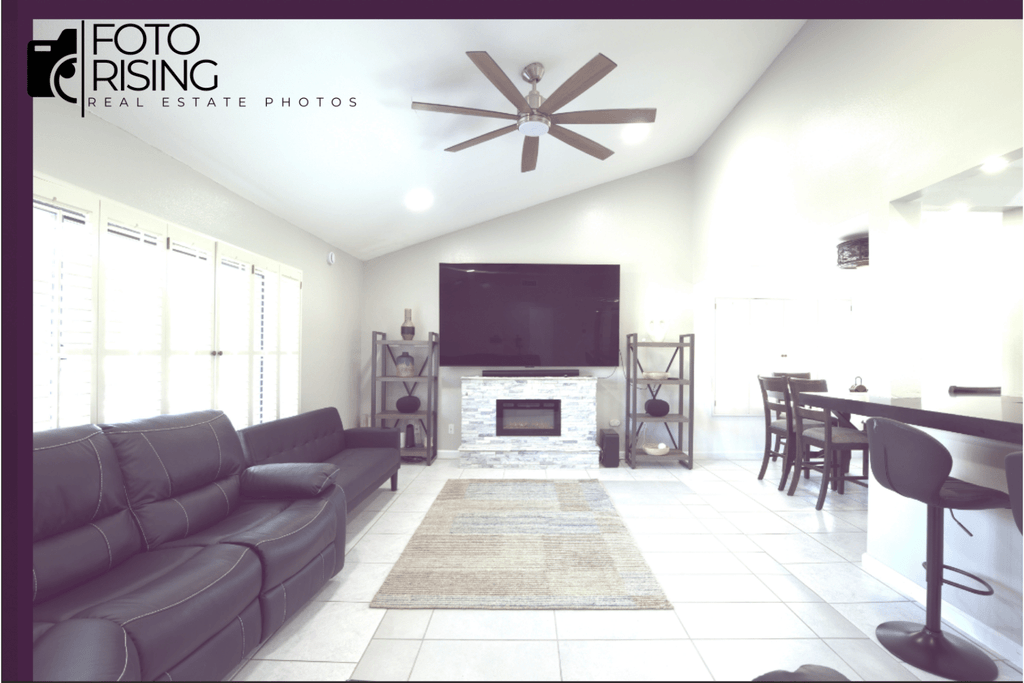
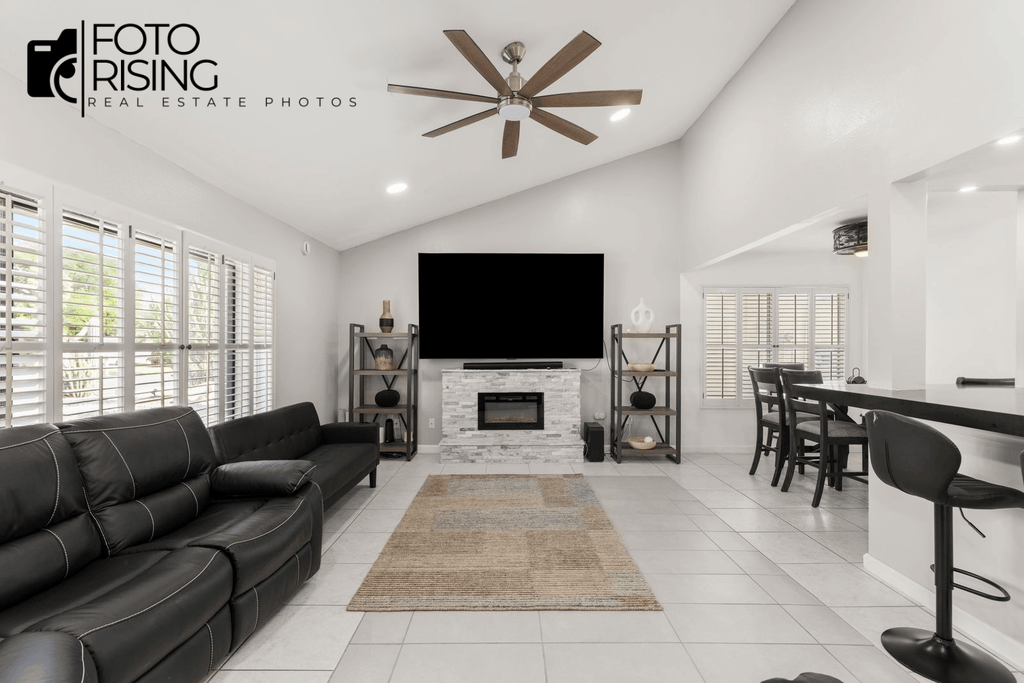
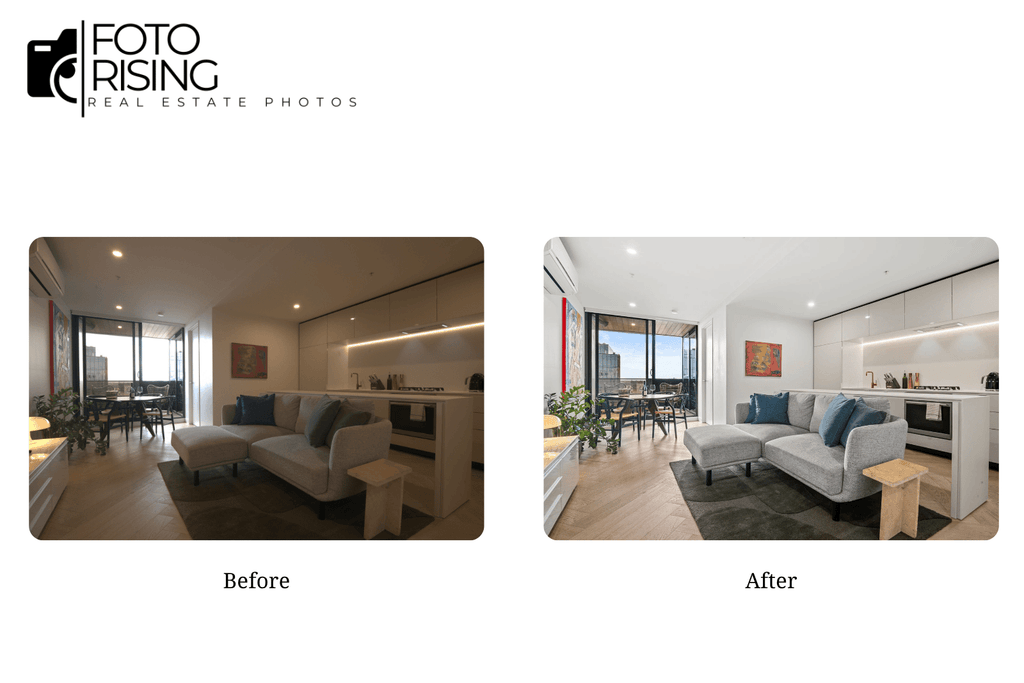
Window Pull Editing is a post-processing technique that balances the exposure between a room’s interior and the scene visible through its windows, so both areas show up clearly in the same photo. Instead of letting the window blow out into a lifeless white patch, this technique “pulls” the correctly exposed details of the outdoor scene into the shot, letting viewers see the backyard, pool, or landscape surrounding the property.

The name “window pull” comes directly from this action: the editor pulls the properly exposed window area from one exposure and blends it into another photo where the interior is exposed correctly. In essence, the technique mimics how the human eye sees a room, our eyes constantly adjust to see detail in both bright and dark areas at once, while a camera sensor has a limited dynamic range and simply can’t capture that same range in a single shot.

People often confuse window pull editing with standard HDR blending. The key difference is that window pull usually focuses on the window area specifically, using manual or semi-automatic masking, while HDR blending tends to merge the entire image algorithmically across multiple exposures.

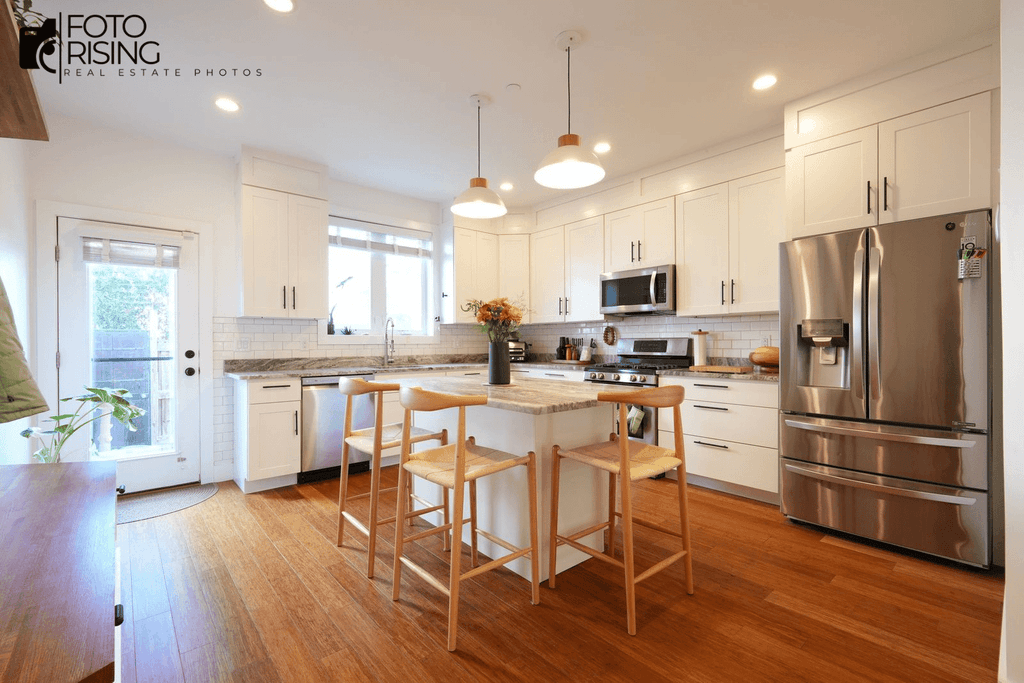
window pull editing before
Before
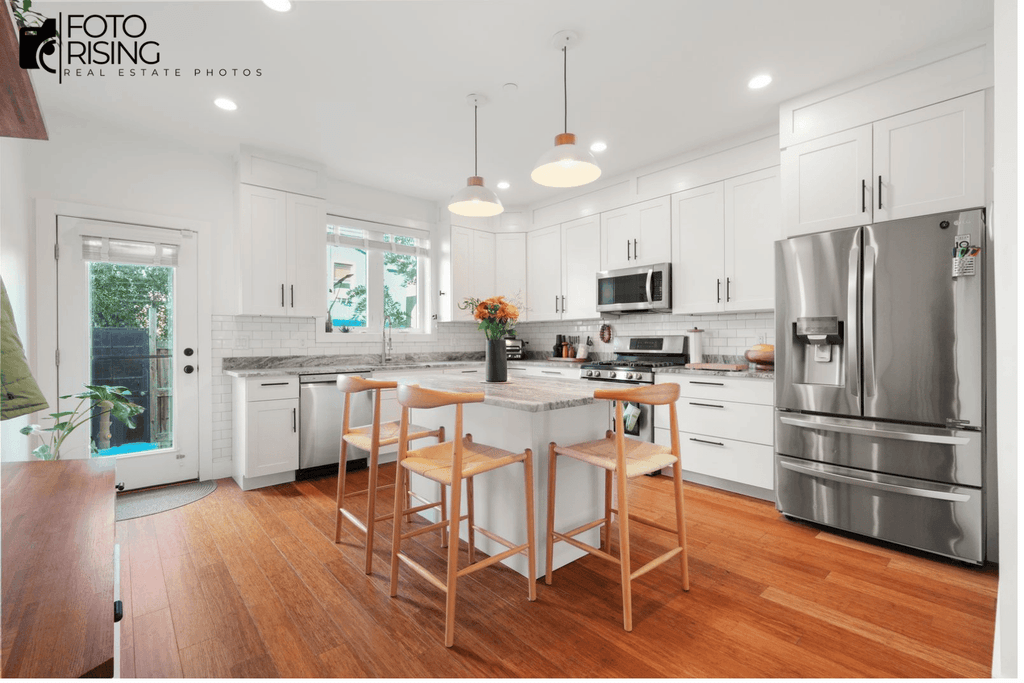
window pull editing after
After

2. Why Do Windows Blow Out in Real Estate Photos?

The root cause is the huge gap in light intensity between the inside and outside of a home. Interior lighting, even with the lights on, is almost always much dimmer than natural daylight outside. When a camera meters the scene and picks its exposure settings, it’s forced to choose one of two outcomes:

  • Expose correctly for the interior → the window blows out completely
  • Expose correctly for the window → the interior goes dark and loses detail

This is exactly why window pull editing has become a standard step in professional real estate photo editing. From a business standpoint, losing detail through the window means losing one of a property’s biggest selling points, a backyard, pool, or mountain view is often what makes a buyer click on a listing in the first place. Poor-quality listing photos that skip this detail directly hurt engagement and can slow down how quickly a property sells.

3. The Step-by-Step Window Pull Editing Process

3.1. Preparing Your Shots Before Editing

The quality of your final window pull editing result depends heavily on how well you prepare during the shoot. Key things to keep in mind:

  • Camera settings: Shoot in manual or aperture priority mode, with an aperture around f/8–f/11 for sharp focus from front to back and ISO kept between 100 and 400 to minimize noise.
  • Gear: a tripod is essentially mandatory, since it keeps your bracketed shots perfectly aligned for blending later; a remote trigger helps avoid camera shake.
  • Bracketing: Capture at least 2–3 different exposures of the same frame, one correctly exposed for the interior and one correctly exposed for the window.
  • Avoiding glare and reflections: Don’t shoot straight-on into the glass, and consider a polarizing filter to cut down on reflections.

3.2. Editing in Photoshop

Once you have your bracketed shots, the manual window pull editing workflow typically looks like this:

  1. Pick your base image, the exposure where the interior looks best.
  2. Bring the correctly exposed window shot in as a layer on top.
  3. Create a layer mask (using a manual brush or a luminosity mask) to reveal only the window area from the top layer.
  4. Match white balance and color tone between the two layers so there’s no mismatch between the inside and outside of the frame.
  5. Feather and clean up the mask edges, checking the window frame closely so the blend doesn’t look obvious.

3.3. A Companion Technique: Flambient

Flambient combines a flash-lit exposure with an ambient-light exposure. The flash shot keeps the interior bright and clean without pushing the ISO too high, while the ambient shot preserves the natural look of the window view. Because they complement each other so well, flambient is frequently paired with window pull editing to produce the most realistic result. One thing to watch for: flash can create glare on the window glass, so it helps to try a different flash angle while shooting, then clean up any leftover reflections in post.

4. Tools for Window Pull Editing

There are three common ways to approach window pull editing, each suited to a different need:

Tool for Window Pull Editing

A growing number of real estate photography studios are now leaning on AI-powered window pull editing tools, especially when paired with bracketed or HDR-merged shots, cutting down significantly on the time it takes compared to manual masking.

5. Common Window Pull Editing Mistakes (and How to Fix Them)

  • Visible mask edges: feather the mask gently and always zoom to 100% to check the window frame before exporting.
  • Color mismatch between the inside and outside of the window: use the eyedropper tool to compare colors and adjust curves or color balance on each layer separately before blending.
  • Flash reflections on the glass: change your flash angle while shooting; clean up any remaining glare with the clone stamp or patch tool afterward.
  • Halo effect around the window frame: avoid over-feathering the mask and keep a close eye on contrast at the blend edge.

6. DIY vs. Hiring a Service: Which One Should You Choose?

If you’re only editing a handful of photos and want full creative control over the style, doing window pull editing yourself in Photoshop is a solid choice, as long as you have the time and skill. On the other hand, if you’re working through a heavy volume, say, multiple properties or listings every week, using an AI tool or hiring a professional editing service will save you significant time, letting you spend more hours shooting instead of editing.

7. Final Thoughts

Window Pull Editing solves one of the most persistent problems in real estate photography: keeping both a well-lit interior and an inviting view through the window in a single, believable shot. Whether you choose to master the manual Photoshop workflow or lean on an AI tool to save time, getting comfortable with this technique will noticeably improve the quality of your listing photos and make every property you shoot more appealing. Try it out on a simple bracketed shot today and see the difference for yourself.

Professional Real Estate Editing in the AI Era

Open any real estate app today and you’ll see the difference a good photo makes. A listing with bright, clean, well-composed images gets clicked. One with dark rooms and crooked walls gets scrolled past in half a second. That’s the whole game in real estate marketing: the photo either stops someone or it doesn’t.

Over the past couple of years, AI editing tools have exploded. Apps like Luminar AI, Photoshop’s generative fill, and a dozen real estate-specific plugins now promise to fix a photo in seconds. Upload a raw shot, click a button, and the sky turns blue, the room brightens, and the grass turns green. It sounds like editors might be out of a job soon.

But here’s the thing, they’re not. Professional real estate editing is still doing work that AI, on its own, simply can’t do well. And if you’re an agent, photographer, or broker trying to decide how to handle your listing photos, it’s worth understanding why.

Professional Real Estate Editing

The Rise of AI in Real Estate Photo Editing

Let’s give credit where it’s due. AI tools have gotten genuinely useful for real estate photography, and a lot of photographers now use them as part of their normal workflow.

The tools everyone’s talking about

Names like Luminar Neo, Skylum, Photoshop’s Neural Filters, and various real estate-specific apps (think HDR Photo Pro or Photomatix with AI presets) have become common in a photographer’s toolkit. Some brokerages even have AI editing built into their listing software now, so agents can snap a photo on their phone and get an edited version back in under a minute.

What AI actually does well

To be fair, AI is genuinely good at a few specific things:

  • Removing simple backgrounds or objects, like a trash can in the driveway
  • Swapping out a gray, boring sky for a blue one
  • Basic color and exposure correction
  • Batch processing dozens of photos at once, which saves a ton of time

Why speed and cost matter

For agents on a budget or photographers shooting five listings in a day, AI editing is fast and cheap. You don’t need to wait 24 hours for a return. You don’t need to pay per photo. That convenience is real, and it’s part of why so many people have started leaning on it.

Where AI Falls Short Compared to Professional Real Estate Editing

Here’s where things get more complicated. AI is fast, but fast doesn’t always mean good, and in real estate, “good enough” photos can quietly cost you a sale.

Lighting doesn’t always cooperate

AI tools are trained on huge datasets of “typical” photos, so they tend to apply the same fix regardless of the actual lighting in your specific room. A photo taken at 2pm with harsh sun coming through a window needs different treatment than one taken at dusk with warm interior lighting. AI often flattens both into the same generic look, and it shows.

The “uncanny valley” problem

You’ve probably seen it, a real estate photo where the sky looks a little too perfect, almost cartoonish. Or a lawn that’s suspiciously neon green. That’s AI overcorrecting. Buyers notice, even if they can’t say exactly why the photo looks fake. It creates a small, subconscious distrust before they’ve even set foot in the house.

AI doesn’t understand what sells a house

This is the big one. A skilled human editor knows that a kitchen photo needs to draw the eye toward the counters and natural light, not the ceiling fan. They know a slightly darker, moodier edit works for a rustic cabin listing, while a bright, airy edit works for a modern condo. AI doesn’t think about buyer psychology, it just applies a formula.

The legal and ethical gray area

There’s also a real risk here. Over-editing a photo to hide water stains, cracks, or clutter can cross into misrepresentation. Most AI tools don’t know or care about local real estate disclosure laws. A human editor, especially one who’s worked in the industry a while, knows where that line is and stays on the right side of it.

Why Professional Real Estate Editing Still Matters

So if AI has limits, what does a professional editor actually bring to the table that a $9-a-month app can’t?

A trained eye for composition and light

Professional editors don’t just brighten a photo, they balance it. They know how to bring out detail in shadows without blowing out the windows, how to keep colors looking true to life, and how to make a room feel warm and inviting rather than sterile.

Consistency across the whole listing

Buyers scroll through 20, 30, sometimes 40 photos of a single listing. If every third photo has a slightly different color temperature or exposure, it looks unprofessional, even if each individual photo is fine. A human editor keeps the whole set consistent, which matters more than people realize.

Fixing the tricky stuff

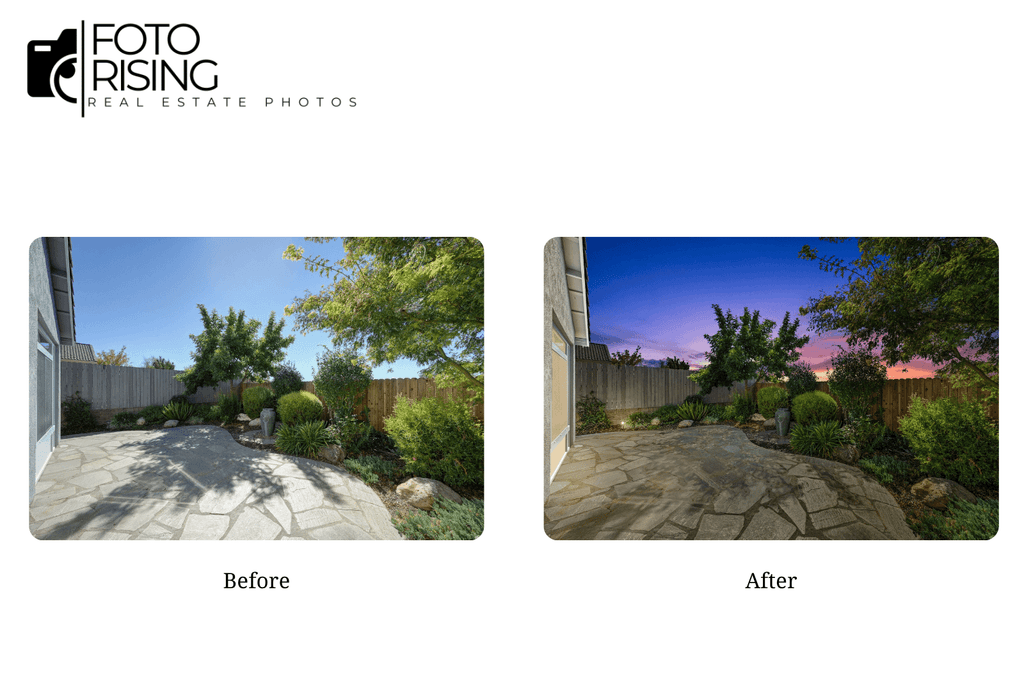
Some problems just need a human touch, pulling detail out of a bright window without losing the sky outside, straightening verticals so walls don’t look like they’re leaning, or converting a daytime shot into a convincing twilight photo. These are technical skills that take years to get right, and AI still struggles with them.

Understanding what actually sells

A good editor has seen thousands of listings and knows what catches a buyer’s attention. They’ll edit a luxury property differently than a starter home because the buyer expectations are different. That kind of judgment call isn’t something you can automate, at least not yet.

Extra care for high-end listings

For luxury properties especially, agents often want custom retouching, removing power lines from a backyard shot, enhancing a pool at dusk, or blending multiple exposures into one perfect image. This kind of detailed work is still firmly in professional editor territory.

Professional Real Estate Editing
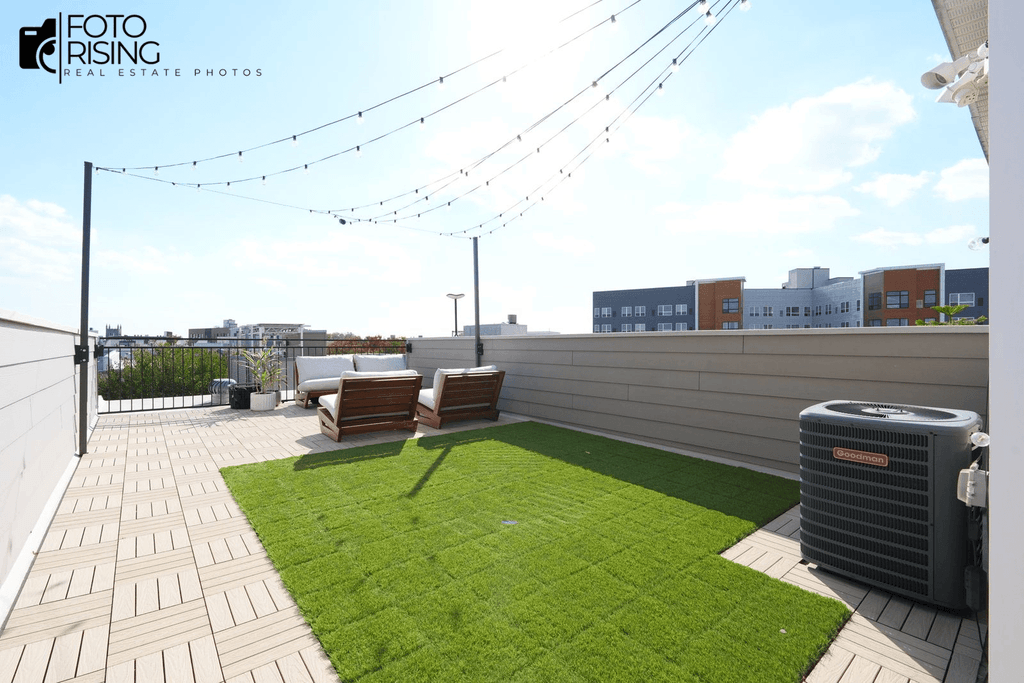
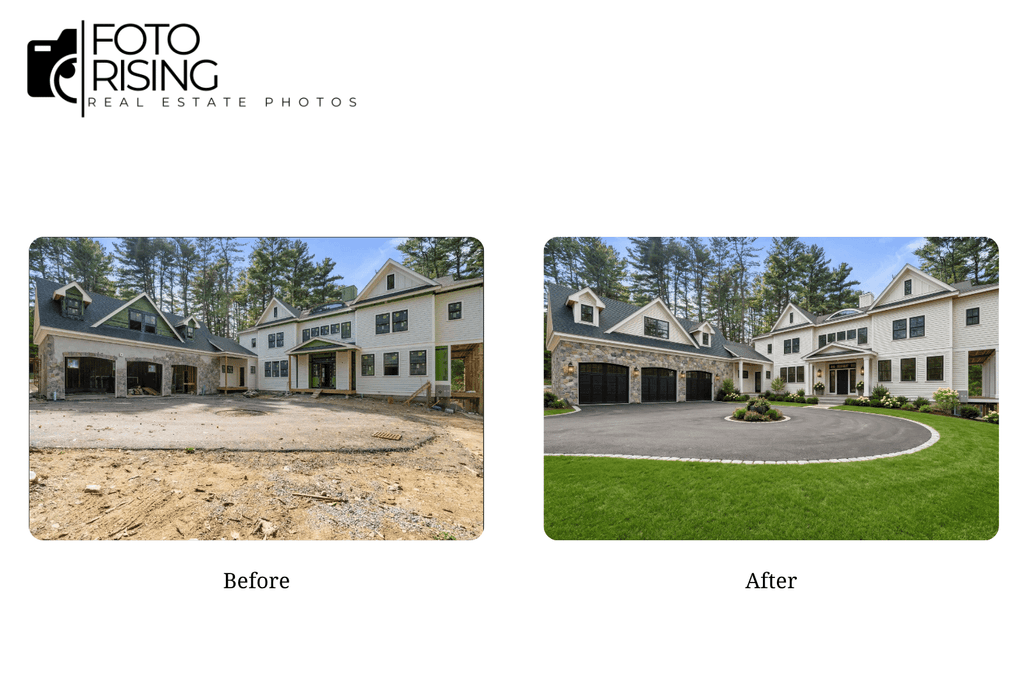
Before
Professional Real Estate Editing
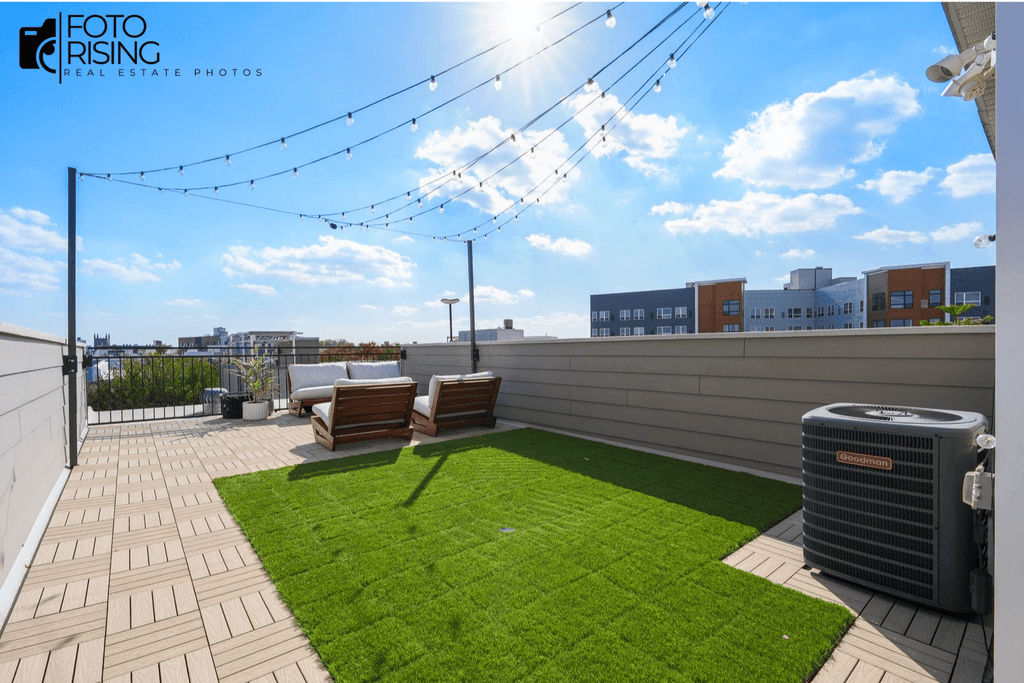
After

The Business Impact of Quality Editing

This isn’t just about photos looking nice. It affects real numbers.

Listings move faster with better photos

Multiple studies on real estate marketing have shown that professionally edited photos correlate with shorter time on market and more showing requests. Buyers browse listings the same way they browse anything online: fast and mostly on gut feeling. A polished photo gets a second look. A flat, poorly lit one doesn’t.

Trust matters more than people think

When photos look realistic and well-composed, buyers trust the listing more. When photos look overly filtered or fake, that trust drops, and sometimes it leads to disappointment (or complaints) once buyers see the property in person. That gap between photo and reality is exactly what professional editing avoids.

The real ROI question

Yes, AI editing is cheaper upfront. But if a listing sits longer, gets fewer showings, or creates buyer pushback because the photos didn’t match reality, that “savings” disappears fast. A few extra dollars per photo for a professional edit is a small price against the cost of a stale listing.

How to Choose a Professional Real Estate Editing Service

If you’re convinced professional editing is worth it, here’s what to actually look for.

What to check before you commit

  • Turnaround time: 24 to 48 hours is standard for most services
  • Portfolio quality: ask to see before-and-after examples, not just finished shots
  • MLS compliance: make sure edits follow local listing rules around accuracy
  • Communication: a good service will ask about your style preferences, not just apply a default filter

Questions worth asking

  • Do real people review every photo, or is it mostly automated?
  • What’s your revision policy if I’m not happy with the first pass?
  • Can you match a specific style I’ve used before?

Red flags to watch for

Be cautious of services that lean entirely on AI with no human review step or that apply the same heavy-handed filter to every photo regardless of the property. If the “before and after” samples all look identically over-processed, that’s usually a sign of an automated pipeline with no real editor behind it.

A few names worth knowing

The professional real estate editing space has a handful of established players worth checking out if you’re comparing options. BeatColor is known for its HDR blending and virtual twilight conversions, combining AI-assisted speed with a manual review step before delivery. PhotoUp has built a strong reputation around virtual staging and subscription-based editing packages for busy photographers. BoxBrownie stands out for floor plans and virtual renovation work, alongside quick turnaround editing. And Virtuance offers a bundled approach, pairing photography and editing into one service.

Each has its own strengths, so it’s worth looking at a few sample edits before deciding which style fits your listings best.

Final Thoughts

AI has genuinely changed how fast real estate photos can get edited, and there’s nothing wrong with using it for quick, low-stakes touch-ups. But when it comes to photos that actually need to sell a property, the ones that convince someone to book a showing, a trained human eye still makes the difference.

As AI continues to reshape the industry, the properties that stand out will still be the ones edited with a human eye for detail.

Read more:

Flambient Photo Editing: Why AI Is Not Enough for This Technique

Real Estate Photography: Does It Help Homes Sell Faster?

Real Estate Photography: Does It Help Homes Sell Faster?

Does professional real estate photography really help homes sell faster? It’s a fair question, especially when you’re trying to keep selling costs under control. While professional photography is an additional expense, it can also be one of the most valuable investments you make. The reason is simple: buyers notice great photos, and that first impression often determines whether they click on your listing or keep scrolling.

In today’s market, buyers almost always start their home search online. Before they read the property description or check the price, they look at the photos. According to the National Association of REALTORS (NAR), nearly all homebuyers use the internet during their home search, while Zillow reports that buyers spend weeks researching listings online before making a decision. 

That’s why real estate photography has become one of the most important marketing tools for selling a home. Let’s look at what the data says and why quality photos have become one of the smartest investments in real estate marketing.

Why Real Estate Photography Matters More Than Ever

Think about how people shop for homes today. Most buyers no longer spend weekends driving around neighborhoods looking for “For Sale” signs. Instead, they browse Zillow, Redfin, Realtor.com, and local MLS websites from their phones or laptops. A buyer may spend only a few seconds deciding whether to click on a listing. Great photos make those seconds count.

Buyers usually don’t start with the property description, square footage, or school information. Their eyes go straight to the images. If the photos feel dark, cluttered, or poorly composed, buyers often move on without learning anything else about the home. That’s why listing photos have become the new curb appeal.

In the past, curb appeal began when buyers pulled up in front of a home. Today, it starts on a search results page.

Professional real estate photography helps a property make a strong first impression. Bright rooms, straight lines, balanced lighting, and natural colors help buyers see the home’s true potential. Good photos also create trust. Buyers feel more confident when a listing looks polished and professionally presented.

Professional Photography Helps Homes Sell Faster

Professional real estate photography helps homes sell faster by attracting more buyers from the very beginning. When a listing looks bright, clean, and professionally presented, more people stop scrolling and click to learn more. That extra attention leads to more listing views, more inquiries, and more scheduled showings. The more qualified buyers who walk through the door, the better the chance of receiving an offer quickly.

We’ve seen this happen many times. Two similar homes may have the same price, but the one with brighter, professionally edited photos usually gets more attention during the first few days on the market. While photography isn’t the only reason a home sells quickly, it often gives a listing the strong start it needs.

Think of it as a chain reaction. Better photos lead to more clicks. More clicks bring more buyers to your listing. More buyers create more showings, and more showings increase the chances of receiving strong offers. Professional photography doesn’t change the home itself, but it helps more people see its value.

Timing also plays an important role. The first few days after a property goes live are usually when it gets the most attention. Buyers with saved searches receive instant alerts, and new listings appear at the top of search results on Zillow, Redfin, Realtor.com, and local MLS websites. If your photos make a strong first impression during this window, you’re more likely to generate interest while the listing is still fresh.

On the other hand, poor photos can slow everything down. Dark rooms, uneven lighting, clutter, or blurry images often cause buyers to skip a listing before reading the description. When a home stays on the market for too long, buyers may start wondering if something is wrong with the property even when that’s not the case.

That’s why experienced agents invest in professional real estate photography from the start. It’s one of the simplest ways to increase visibility, attract more potential buyers, and build momentum during the most important stage of the selling process.

real estate photography

More Listing Views Lead to More Showings

Professional real estate photography encourages more buyers to click on a listing and schedule a showing. Listings with professional photos get 118% more online views than listings with lower-quality photos, based on VHT Studios data cited by NAR. Pro photos also pull in about 50% more potential buyers overall.

Think about how people browse homes online. They scroll through dozens of listings in just a few minutes, and each one has only a short moment to grab their attention. Imagine a buyer scrolling through 20 similar listings on Zillow after work. Most of the homes look almost the same. The one with bright, well-composed photos is much more likely to earn that first click.

Once buyers click through, quality photos keep them engaged. Instead of quickly moving on to another property, they spend more time viewing each room, imagining how the spaces connect, and deciding whether the home is worth visiting. That extra engagement often turns curiosity into action.

This is where professional photography makes a real difference. An experienced real estate photographer knows how to use lighting, composition, and camera angles to make every room feel open, welcoming, and true to life. Professional editing takes the images a step further by balancing colors, correcting lighting, enhancing window views, and creating a consistent look across the entire gallery.

As more buyers spend time exploring the listing, the chances of receiving inquiries naturally increase. More inquiries lead to more showings, and more showings create more opportunities for offers. While professional photography can’t guarantee a sale, it helps move more buyers through each stage of the sales process.

Professional Photos Increase Buyer Interest

Professional photos won’t change a home’s size, location, or condition. What they can change is how buyers feel about the property.

When people browse listings online, they make quick decisions. Bright, well-composed images create a strong first impression and make a home feel more inviting. On the other hand, dark or poorly lit photos can make even a beautiful home seem less appealing.

A great first impression often leads to stronger buyer interest. More people click on the listing, schedule a showing, and consider making an offer. In a competitive market, that extra attention can create multiple-offer situations and give sellers a better chance of achieving their asking price.

Professional real estate photography doesn’t increase a home’s market value, but it helps buyers see its true potential. By presenting the property at its best, it encourages buyers to focus on the home’s strengths rather than its flaws.

Professional Photography Offers a Strong ROI for Agents

For agents, professional photography is more than a marketing expense. It’s an investment in both the current listing and future business.

Great photos help agents.

  • Win more listings
  • Build a stronger brand
  • Create better marketing materials
  • Improve client satisfaction
  • Generate referrals

Many sellers now expect professional visuals as part of the service they receive. High-quality photos, floor plans, virtual staging, and video content have become standard in many markets.

Visual marketing also works across every platform. Agents can use the same images on MLS listings, social media, email campaigns, brochures, and property websites. That makes photography one of the most cost-effective tools in real estate marketing.

real estate photography

Great Photos Help Buyers Picture Themselves at Home

Buying a home is both a financial and emotional decision. Before buyers think about the numbers, they need to picture themselves living in the home. 

Great listing photos make that easier. Bright, well-composed images help buyers imagine relaxing in the living room, cooking in the kitchen, or enjoying time with family in the backyard. The more they can picture themselves in the space, the more connected they feel to the property.

Poor photos have the opposite effect. Dark rooms, clutter, or awkward angles distract buyers and make it harder to appreciate the home’s best features. Instead of imagining the possibilities, they focus on what looks wrong.

That’s why professional real estate photography is so important. It doesn’t change the home, it helps buyers see its full potential and gives them a reason to take the next step.

Conclusion

Professional real estate photography is more than just a marketing expense; it’s an investment in your listing’s success. Great photos help attract more buyers, increase showings, and create a stronger first impression during the most important days on the market.

As more buyers begin their home search online, high-quality listing photos have become essential rather than optional. If you’re a real estate agent or a homeowner preparing to sell, investing in professional photography can help your property stand out and reach more potential buyers.

Read more:

Virtual Staging Before and After: Real Property Transformations

How to Use Real Estate Photo Editing to Sell Homes Faster in 2026

Virtual Staging Before and After: Real Property Transformations

Virtual staging has quietly become one of the most effective tools in real estate marketing. An empty room photographs flat, cold, and hard to connect with, but the same room, digitally furnished, suddenly feels like a home someone could actually picture themselves living in. 

In this article, we’ll look at real before-and-after transformations, discover why these transformations matter, learn the benefits of virtual staging, and find out how to choose the right virtual staging service for your business.

What Is Virtual Staging?

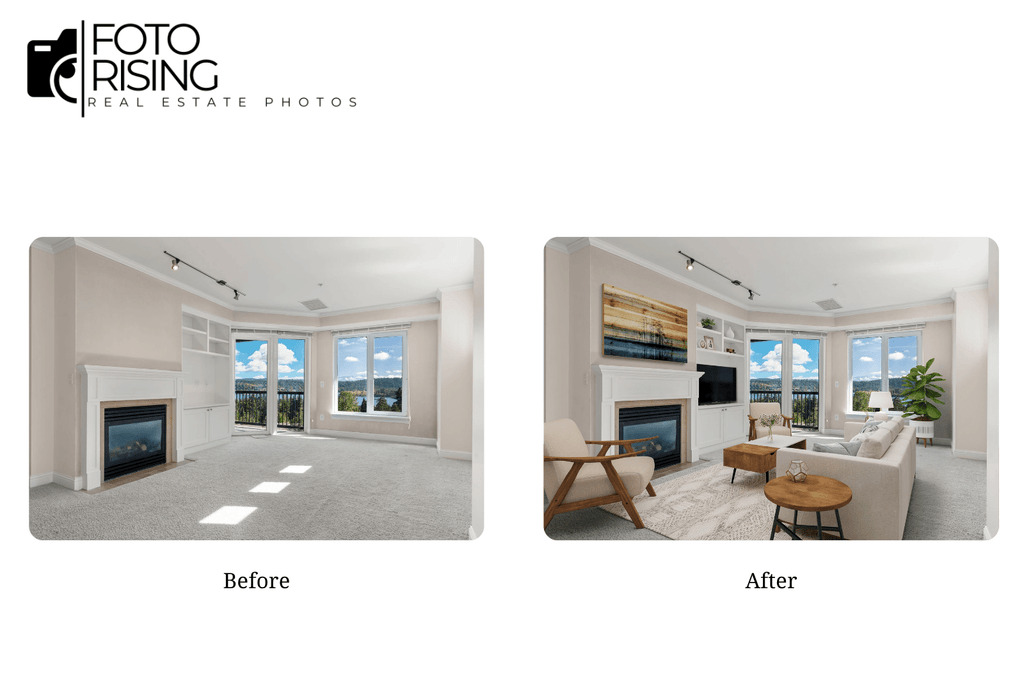
Virtual staging is the process of digitally adding furniture, décor, and finishing touches to photos of empty or underfurnished rooms without moving a single physical piece of furniture into the property. Instead of renting couches, tables, and artwork for a traditional staging setup, a designer or software tool edits the photo itself, placing realistic digital furnishings directly into the image.

The process typically starts with a clean, well-lit photo of a space. From there, an editor selects furniture and décor that fit the room’s proportions, lighting, and style, then blends them into the photo so they look like they were there all along, matching shadows, perspective, and scale. The best results are nearly indistinguishable from a professionally staged, physically furnished room.

Why Before-and-After Comparisons Matter

Most buyers struggle to mentally furnish an empty room. Odd angles, unclear room dimensions, and blank walls make it hard to judge whether a space actually fits their needs, which is exactly why staged homes tend to perform better on the market than vacant ones.

This isn’t just anecdotal. Industry data consistently shows that listing photos are the single biggest factor buyers use when deciding which homes to visit, and staged properties tend to spend less time on the market than unstaged ones. Seeing a room transform from bare walls to a fully furnished, styled space isn’t just a nice visual; it directly changes how buyers perceive the value and livability of a property.

Real Before-and-After Transformations

Empty Living Room → Modern Staged Living Room

A bare living room with hardwood floors and natural light can look surprisingly uninviting without context. Adding a sofa, coffee table, rug, and a few accent pieces gives buyers an immediate sense of scale, how much furniture actually fits, and how the room could be lived in day to day.

Virtual Staging
Before
Virtual Staging
After

Outdated Bedroom → Neutral, Buyer-Ready Bedroom

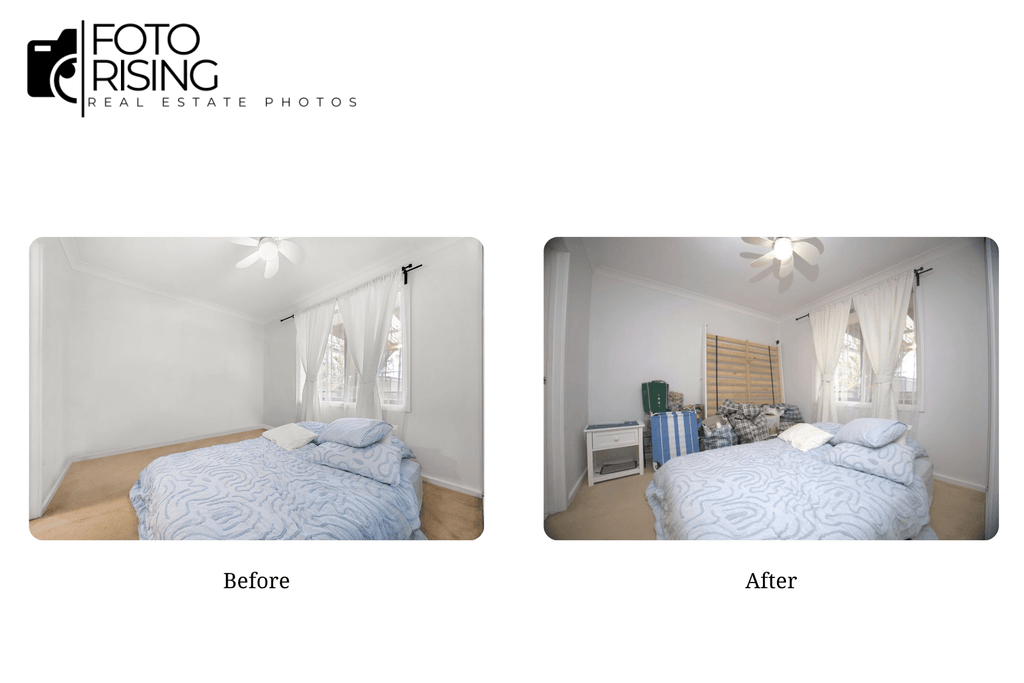
Bedrooms with dated furniture or awkward layouts are prime candidates for virtual staging. Replacing old furnishings with a neutral, modern bed set and simple décor removes distracting personal style choices and helps the space feel move-in ready for a broader range of buyers.

Vacant Home Office → Functional Workspace

With remote work now a priority for many buyers, an empty spare room can be transformed into a staged home office, complete with a desk, chair, and shelving to show a use case buyers might not have considered on their own.

Virtual Staging
Before
Virtual Staging
After

Bare Dining Room → Inviting Family Dining Space

An empty dining room rarely photographs well. Adding a dining table, chairs, and simple lighting fixtures gives the space warmth and purpose, helping buyers picture holidays and everyday meals in that exact room.

Virtual Staging
Before
Virtual Staging
After

Benefits of Virtual Staging

Looking at these virtual staging before-and-after examples, it’s clear the difference goes beyond aesthetics. A well-staged room also helps buyers understand how a space can actually be used, creating a stronger first impression within the first few seconds of viewing a listing.

Helps Buyers Visualize the Home

An empty room often makes it hard for buyers to judge size and function. Virtual staging turns a bare space into a fully furnished room, making it easier for viewers to picture everyday life there and form an emotional connection with the property.

Makes Listings More Eye-Catching

In a market where buyers scroll past dozens of listings a day, standout photos are what create a difference. Professionally staged images tend to earn more clicks and encourage buyers to spend more time exploring a listing’s details.

Saves Time and Marketing Costs

Compared to traditional home staging, virtual staging removes the cost of renting, transporting, and installing furniture. With just one quality photo of an empty room, you can produce multiple design styles in a short amount of time at a fraction of the cost.

Supports Different Buyer Preferences

Not every buyer responds to the same interior style. Virtual staging makes it possible to create several versions of the same room, modern, Scandinavian, or farmhouse, for example, to match different target buyers without changing anything about the actual property.

Delivers a Better Return on Marketing Investment

With more appealing visuals, lower costs, and the ability to attract more potential buyers, virtual staging generally delivers stronger marketing results than listing photos of empty rooms. For real estate photographers and agents, it’s a straightforward way to elevate listing quality while keeping budgets under control.

How to Choose the Right Virtual Staging Service

Not all virtual staging is created equal; the difference between a convincing transformation and an obviously fake one usually comes down to the provider. Here’s what to look for, along with a few names worth knowing.

What to Look For in a Virtual Staging Provider

Realistic rendering quality. Furniture should match the room’s actual lighting, shadows, and perspective. If proportions look off or shadows don’t line up, it undermines buyer trust the moment they notice.

Style customization. A good provider should be able to match furniture style to the target market, modern and minimalist for an urban condo or warm and traditional for a suburban family home, rather than applying the same generic look to every listing.

Fast, reliable turnaround. Listings move quickly, and staged photos often need to go live within a day or two of the shoot. A provider’s turnaround time should match your listing schedule, not the other way around.

MLS compliance and disclosure support. Most MLS boards require virtual staging to be clearly disclosed. A reliable provider should understand these rules and help you stay compliant, rather than leaving that responsibility entirely on you.

A Few Services Worth Considering

Esoft is a large, established provider with operations spanning multiple countries and a track record of nearly two decades in the industry. It offers virtual staging as part of a broader suite of services, including large-scale photo editing and 3D visualization, and tends to suit enterprise-level clients managing high listing volumes across multiple markets. Its scale can mean less personalized service for smaller studios.

Fotober takes a more streamlined approach, focusing on real estate photo and video editing with virtual staging as one of its core offerings. With a fast turnaround and competitive pricing, it’s often a good fit for individual photographers or smaller teams that want essential staging done quickly without a lot of add-on complexity.

BeatColor has built its reputation specifically around virtual staging and 3D visualization, focusing on turning vacant or partially furnished spaces into realistic, market-ready presentations. With nearly a decade in the industry and a workflow built for high daily volume, BeatColor is worth considering for agents and photographers who want staging to feel like a specialty rather than an add-on service, backed by a task management system designed to keep large batches of listings organized and moving fast.

Each of these providers takes a slightly different approach, so the right fit often comes down to how much you value an all-in-one platform versus a provider that treats staging as its core focus.

Conclusion

Virtual staging has proven itself as more than just a visual upgrade, as the before-and-after examples above show; it directly shapes how buyers perceive a property’s potential from the very first photo. For agents and photographers working with vacant or under-furnished listings, it’s one of the most cost-effective ways to make a property stand out, connect emotionally with buyers, and move faster through the market. The right provider makes all the difference between a convincing transformation and one that falls flat, so it’s worth choosing carefully based on rendering quality, style flexibility, and turnaround speed.

Read more:

Sky Replacement for Real Estate Photos: A Smart Way to Elevate Listings

How to Use Real Estate Photo Editing to Sell Homes Faster in 2026

Virtual Home Staging: A Modern Solution for Real Estate Marketing